Legacy API Reference (v1 and v2)
This page documents the legacy v1 and v2 API, which remains available for existing integrations such as the Zapier app. New integrations should use the CheckFlow API v3 — see Migrating from v1 and v2.
The legacy CheckFlow REST API allows you to interact with your checklists, tasks, templates, and team members programmatically. All requests and responses use JSON.
Base URL
https://app.checkflow.io
Authentication
All API requests must include your API key in a request header:
X-API-KEY: your-api-key-here
If the X-API-KEY header is missing or invalid, the API will return a 401 Unauthorized response.
Creating an API Key
Only Administrators can create API keys. Open the API & Integrations tab of Team Management and click Create API key. The same keys work with the legacy API, the v3 API and the MCP server. A revoked or expired key is refused by all three. See Creating an API Key for the options.
API Versioning
The API supports versioning via the X-API-VERSION request header. The current version is 2.0. Some endpoints are only available in version 2.0 — this is noted in the relevant endpoint documentation.
X-API-VERSION: 2.0
Interactive Documentation
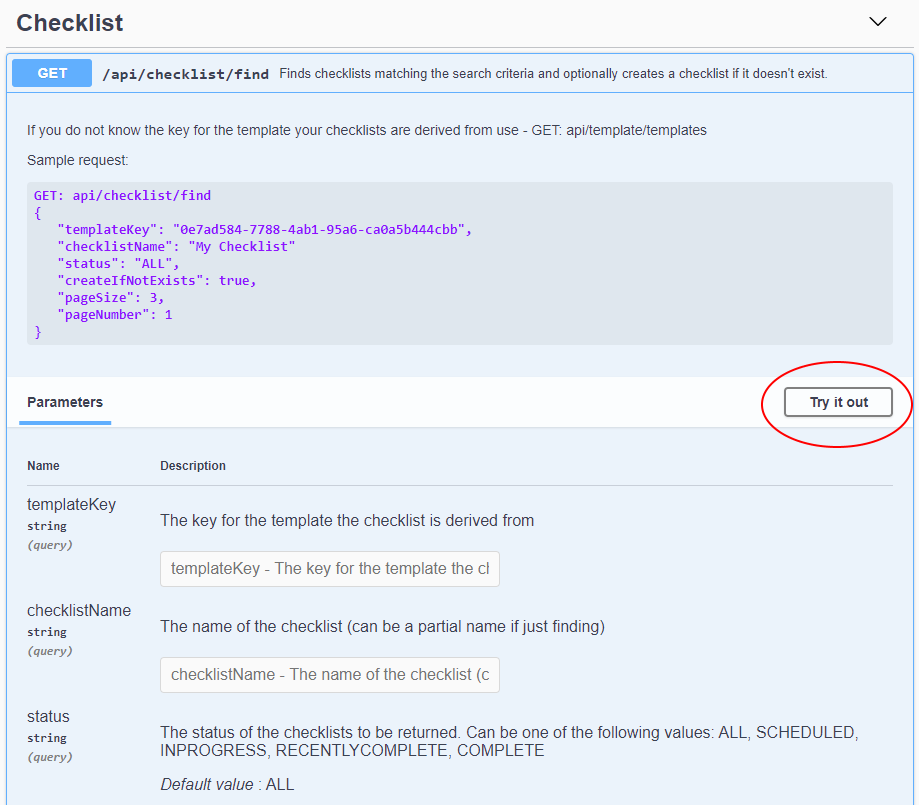
Every endpoint is documented and runnable in the built-in Swagger UI:
https://app.checkflow.io/swagger
Each action lists what it does and the parameters it takes. Click Try it out to fill the parameters in and execute the call against your own team — the quickest way to see the shape of a response before writing any code.
Response Codes
| Code | Meaning |
|---|---|
200 | Success |
400 | Bad Request — a required parameter is missing or invalid |
401 | Unauthorized — the API key is missing or invalid |
404 | Not Found — the requested resource could not be found |
Endpoint Groups
| Group | Description |
|---|---|
| Authentication | Validate your API key |
| Checklists | Create, retrieve, and delete checklists |
| Tasks | Retrieve, update, and assign tasks |
| Templates | Retrieve templates and their task structure |
| Team | Retrieve team members and groups |
| Tags | Create, delete, and assign tags |
| Data Sets | Manage Data Sets, fields, records and views; import and export CSV |
| Analytics | Retrieve analytical data |
| Webhooks | Manage webhook subscriptions |
Related Pages
- Authentication — checking a key works before using it.
- Checklists — the endpoints most integrations start with.
- Webhooks — being told about events rather than polling for them.
- CheckFlow API — where the API sits among the other integration options.